Book Covers
Free Book Cover Mockup Generator for Amazon KDP Authors
How to create professional 3D book cover mockups for Amazon KDP listings, Instagram promotion, and author websites — without Photoshop or expensive PSD templates.
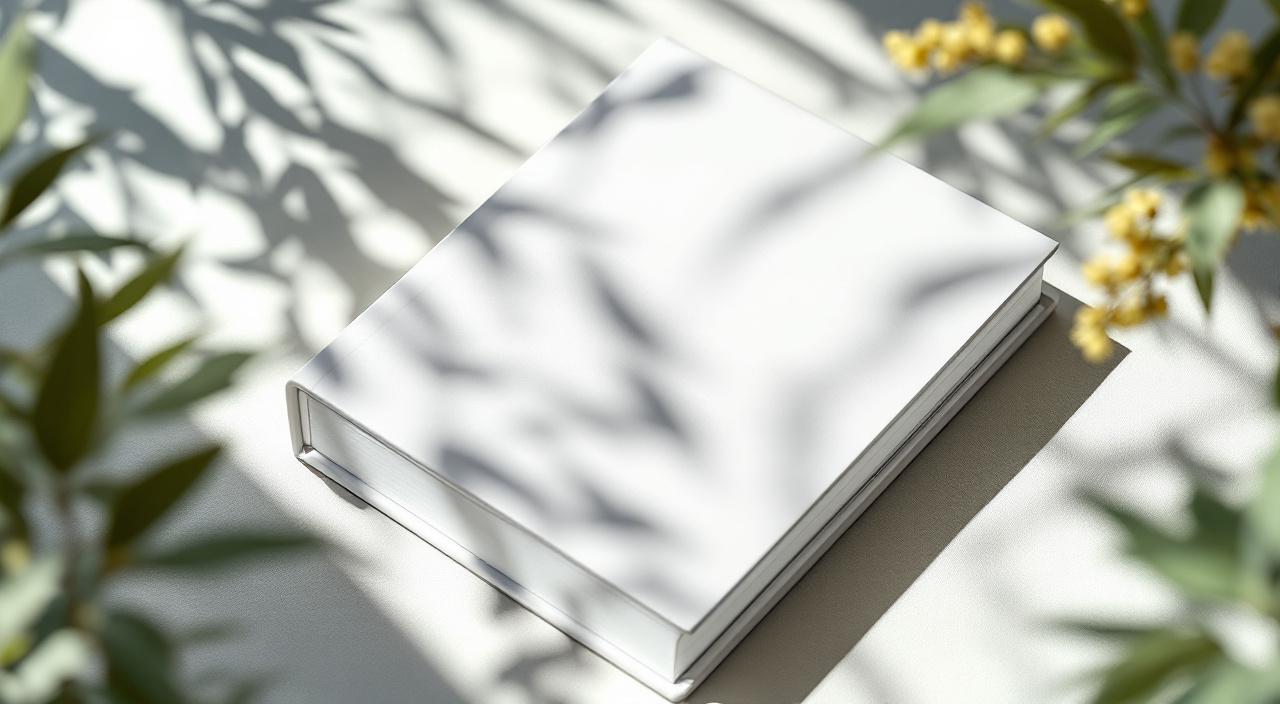
Self-publishing on Amazon KDP is one of the most accessible routes for independent authors, but the presentation gap between indie and traditionally-published books is usually visible in one place: the marketing images. A 3D mockup of your book in a reader's hand, on a shelf, or beside a coffee cup does more for your Amazon rank, Instagram engagement, and BookBub ads than almost any other single asset.
This guide covers how to make professional KDP mockups, what sizes you need, which styles sell, and how to do it without paying for a designer or wrestling with PSD templates.
Why KDP authors need mockups
Amazon KDP provides your cover as a flat JPG on the listing page. That's fine for the listing itself. But everywhere else you promote your book — your Twitter/Instagram, your newsletter, your website, BookBub ads, Facebook posts, your author bio — flat covers look amateur. A 3D perspective mockup communicates "published book" in a way a flat JPG never will.
A few places where mockups directly affect sales:
- BookBub and newsletter ads: ads with 3D mockups outperform flat cover ads by around 30-40% in most tests
- Instagram and TikTok: the algorithm rewards polished visual content, which means 3D > flat
- Your author website: readers judge credibility on presentation, not content
- Amazon A+ content: the enhanced product description section allows richer imagery
- Print distribution channels (IngramSpark, Smashwords): they require polished marketing imagery
The mockup styles that work for books
Not all book mockups are equal. Here's what works for KDP authors:
3D front-angle: the book is turned slightly so you can see the spine and front cover. Shows thickness. Essential for hardcovers and trade paperbacks.
Flat lay: book on a desk with coffee, plants, glasses, etc. Great for Instagram and lifestyle marketing.
Hand holding: someone holding the book. Works well for cozy mysteries, romance, self-help. Feels personal.
On a shelf: book amongst other books. Useful for establishing a series or for niche genre positioning.
Stacked series: multiple books in a series stacked together. Essential for series promotion.
Reading scene: book open on a lap or table with a page visible. Rarely works unless you're doing a content snippet — usually the cover sells better than the inside.
Ebook on device: your cover on a Kindle, phone, or tablet screen. Separate from physical mockups — use this for ebook-only promotions.
For a typical KDP release, you'll want at least one 3D front-angle and one flat lay as your core marketing assets. Add the others as you need them.
KDP trim sizes and mockup sizing
KDP supports different trim sizes and each one deserves a matching mockup. Generic "book mockup" templates often don't match your actual book's proportions, which looks subtly wrong.
Common KDP paperback trim sizes:
- 5 × 8 in: common for fiction, novellas
- 5.5 × 8.5 in: standard trade paperback
- 6 × 9 in: most common — fiction, non-fiction, memoir
- 7 × 10 in: textbook, workbook, self-help
- 8.5 × 11 in: activity books, workbooks
For mockups, the aspect ratio matters more than the actual size. A 6×9 book has a 2:3 aspect ratio. Using a mockup template designed for a square book on a 6×9 cover will distort the artwork or leave gaps. Pick templates that match your book's proportions.
MockupBulk's book-cover templates are tagged by aspect ratio so you can filter to just the ones that fit your book.
Step by step: making a KDP mockup
1. Export your cover as a high-resolution JPG or PNG. The front cover only, unless you have a spine-wrap template. 1800 × 2700px is comfortably high-resolution for any mockup use.
2. Pick a book mockup template. Filter the MockupBulk gallery by "book cover" and your book's aspect ratio. Hundreds of 3D, flat lay, hand-held, and shelf mockups in different lighting, colours, and contexts.
3. Upload your cover. The system warps it onto the book shape in the mockup automatically — perspective corners handle the angle, so your cover looks naturally placed, not pasted on.
4. Review and adjust. If the positioning is slightly off (the cover isn't quite aligned to the book's front face), use the editor's perspective tool to drag the 4 corners to match.
5. Generate and download. You'll get a high-resolution PNG you can use on your website, Instagram, ads, newsletter, anywhere.
Covers for different marketing channels
A single cover needs different mockup variants for different platforms:
- Amazon A+ content: landscape-oriented with extra white space for text overlays
- Instagram post: square 1:1 crop, mockup centered
- Instagram Stories / Reels: 9:16 vertical, usually a lifestyle shot
- Twitter / X: 16:9 horizontal, good for reveals and announcements
- Pinterest: 2:3 vertical, tall flat lays work well
- Your website header: 16:9 or custom — often a dramatic single-book shot
- Newsletter: 600 × 400px typical, simple mockups work best
Rather than creating each one manually, generate the high-res mockup once and crop to each channel.
Ebook-only mockups
If your book is KDP Select ebook-only (no print), you still need mockups — on devices.
- Kindle Paperwhite / Oasis: shows your book as an actual Kindle reader would see it
- iPad / iPad Pro: premium feel, works for full-colour covers
- iPhone / Android: mobile ebook reading, casual feel
- Laptop / desktop: for business and technical ebooks
For ebook mockups, your cover file is the same but the template context is a device screen instead of a physical book.
Common KDP mockup mistakes
Using the wrong aspect ratio. A 6×9 book in a 5×8 mockup template stretches the cover. Pick templates by aspect ratio.
Low-resolution source files. A 500px cover looks fine on the Amazon listing but pixelated when blown up to 3000px for a billboard-sized mockup. Always work with a 1800×2700 or higher source.
Mockups in the wrong style. A gritty thriller with a "coffee and flowers on a white desk" flat lay is visually incongruent. Match the mockup's mood to the book.
Overly staged mockups. Every mockup staged with identical props, lighting and angle starts to look like a stock template across your listings. Mix up contexts to keep the catalogue fresh.
Ignoring the spine. If you have a print book, you have a spine. At least one of your mockups should show it — many mockups only show the front face.
Series mockups
If you're building a series, you need at least one mockup showing all the books together. Options:
- Stacked vertically: books on top of each other, showing spines
- Fanned out: books laid in a semi-circle, showing covers
- On a shelf in order: most "series-y" looking
- Individual books side-by-side: for 2-3 book series, works well
Generate one for each book individually (for the listing), plus one series shot (for marketing and the series page).
Wrapping it up
Book cover mockups are one of the highest-leverage marketing assets an indie author has. They cost nothing to make and directly improve ad performance, social engagement, and credibility.
If you're releasing a book in the next month, make a minimum of: one 3D front-angle mockup, one flat lay, one ebook-on-device mockup, and one series mockup if applicable. Four assets, maybe 15 minutes of work with a good bulk generator. Those four assets will get used hundreds of times across your marketing over the book's lifetime.
Ready to create your own mockups?
Try MockupBulk free — generate 3 mockups per month, no credit card needed.
Start free